Salon Inventory Management: A Complete Guide
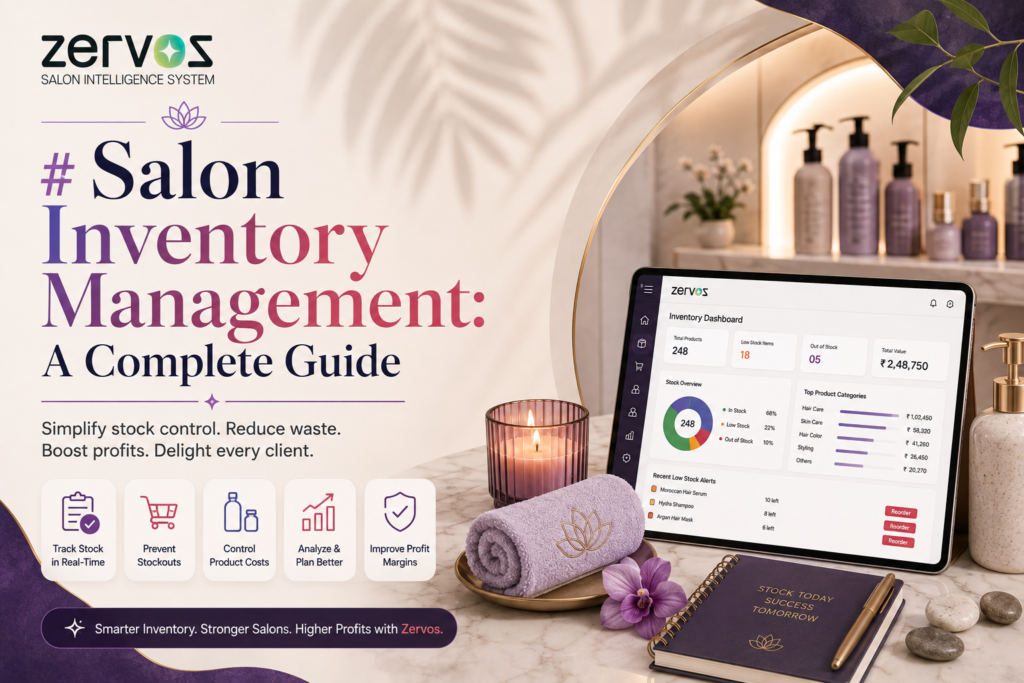
Salon inventory management is the process of tracking, ordering, and controlling the retail and backbar products a salon uses and sells — so stylists always have what they need on hand without the business overspending on stock that sits unused. Done well, it protects margins, prevents mid-service stockouts, and turns retail shelves into a real revenue stream instead of a guessing game.
This guide covers what salon inventory management actually involves, the most common mistakes salons make, and how to build a system that scales as your salon grows.
What Does Salon Inventory Management Include?
Salon inventory typically falls into two categories, and treating them the same way is one of the most common mistakes owners make:
- Backbar stock — color, developer, shampoo, conditioner, and treatment products used during services. This inventory is consumed, not sold, and needs to be tracked against service volume.
- Retail stock — shelf products sold directly to clients. This inventory needs to be tracked against sales velocity, seasonality, and shelf life.
A complete system tracks both separately, because the reorder logic for each is different: backbar usage scales with appointments booked, while retail sales scale with client traffic, promotions, and staff recommendations at checkout.
Why Do Salons Struggle With Inventory Management?
Most salons run into the same handful of problems, usually because inventory is still tracked on paper, in spreadsheets, or “by feel”:
- Overstocking slow-moving products, which ties up cash and risks products expiring on the shelf
- Understocking high-use backbar items, which forces stylists to improvise mid-service or turn away bookings
- No visibility into which retail products actually sell, so reorders are based on habit rather than data
- Shrinkage and waste going untracked, from product used off-the-books to expired stock quietly thrown out
- Manual stocktakes that eat staff hours and are usually outdated within days
Each of these is a symptom of the same root issue: inventory data that lives in someone’s head or in a notebook instead of a system that updates itself.
How Should a Salon Track Inventory?
A working salon inventory system generally needs to do four things:
- Log usage automatically — every time a service is completed or a retail item is sold, stock levels update without manual entry
- Set reorder points — a minimum quantity per product that triggers a restock alert before you actually run out
- Separate reporting by category — backbar vs. retail, and ideally by product line or supplier
- Surface trends over time — which products are consumed fastest, which retail items sell best, and where waste is happening
Salons that manage inventory manually can approximate the first two with regular stocktakes and par levels written into a spreadsheet. But usage logging that depends on staff remembering to update a sheet after every service tends to break down quickly, especially in busy multi-chair salons.
This is where salon management software makes the biggest practical difference — inventory tied directly to the appointment and billing system means stock updates as a byproduct of the salon’s normal workflow, not as a separate task someone has to remember to do. Platforms built for salons, like Zervos, connect inventory tracking to bookings and checkout automatically, so backbar usage and retail sales update in real time instead of relying on end-of-day manual counts.
How Often Should a Salon Do a Stocktake?
Most salons benefit from a tiered approach rather than one big count:
- Weekly spot-checks on fast-moving or high-cost items (color, premium retail lines)
- Monthly full inventory counts across all categories
- Quarterly deeper audits to catch shrinkage, expired stock, and slow movers worth discontinuing
Salons using automated inventory tracking can shift stocktakes from a full manual count to a verification pass — checking system numbers against physical shelves rather than counting everything from scratch.
What’s the ROI of Better Inventory Management?
The return usually shows up in three places:
- Reduced waste from expired or over-ordered backbar product
- Fewer stockouts that disrupt bookings or lose a retail sale at checkout
- Better retail attach rates, since staff can see and recommend what’s actually in stock and selling well, rather than guessing
For salons also using client communication tools, low-stock alerts and reorder reminders can be folded into the same system — for example, Zervos pairs inventory data with WhatsApp automation, so restock alerts and even client-facing notifications (like a favorite product being back in stock) go out without extra admin work.